Possible reasons for failed reload attempts:
If you reload using PIN, you may have entered incorrect PIN.
Multiple failed attempts at PIN reload leading to your account being locked.
Invalid PIN number/ the PIN has already been used.
Wrong PIN type purchased for your account.
If you are performing a reload using a PIN, please ensure you have purchased the correct PIN number for your account system (either Celcom or Digi). To identify your account system:
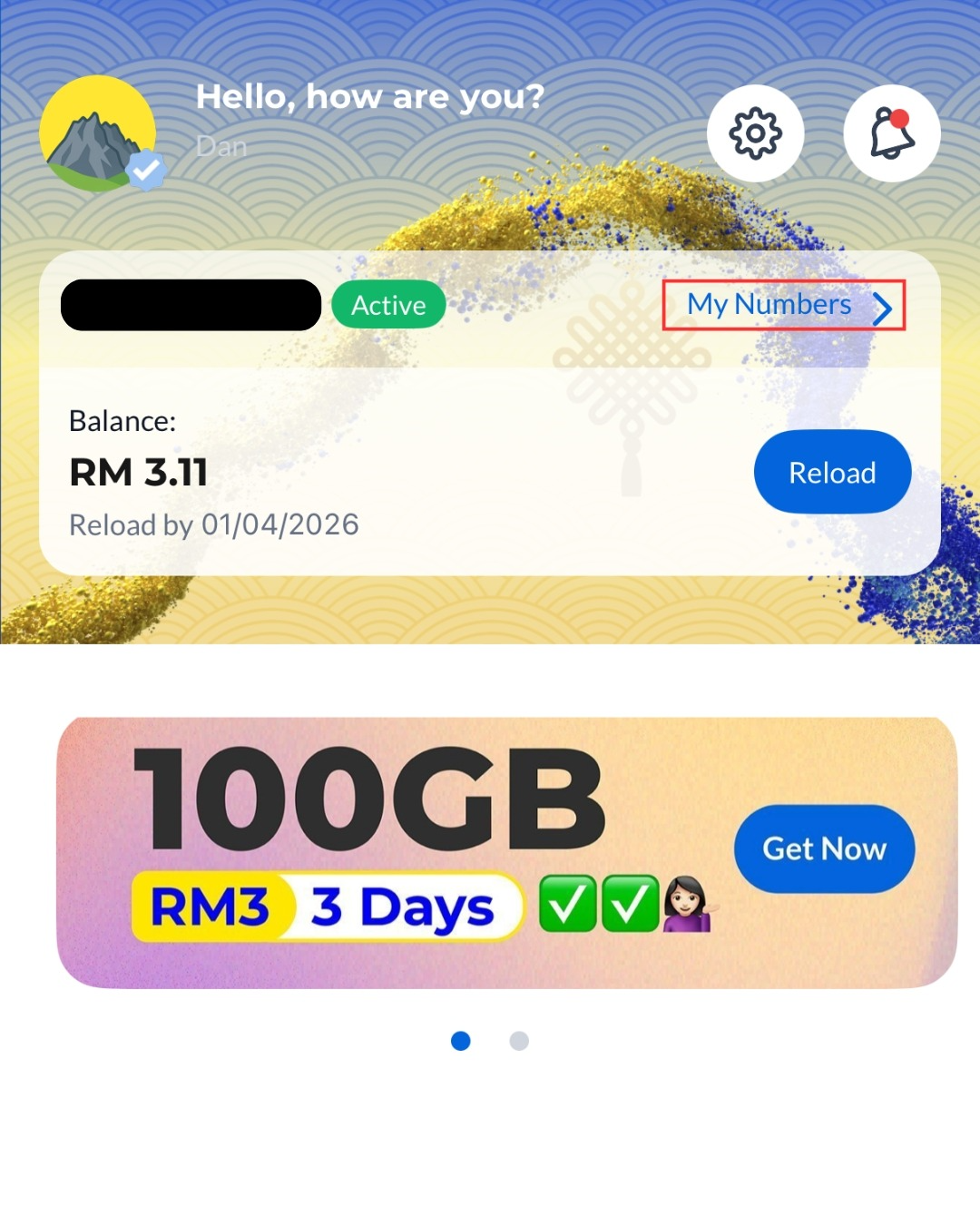
Step 1: Open the CelcomDigi app and tap 'My Numbers'
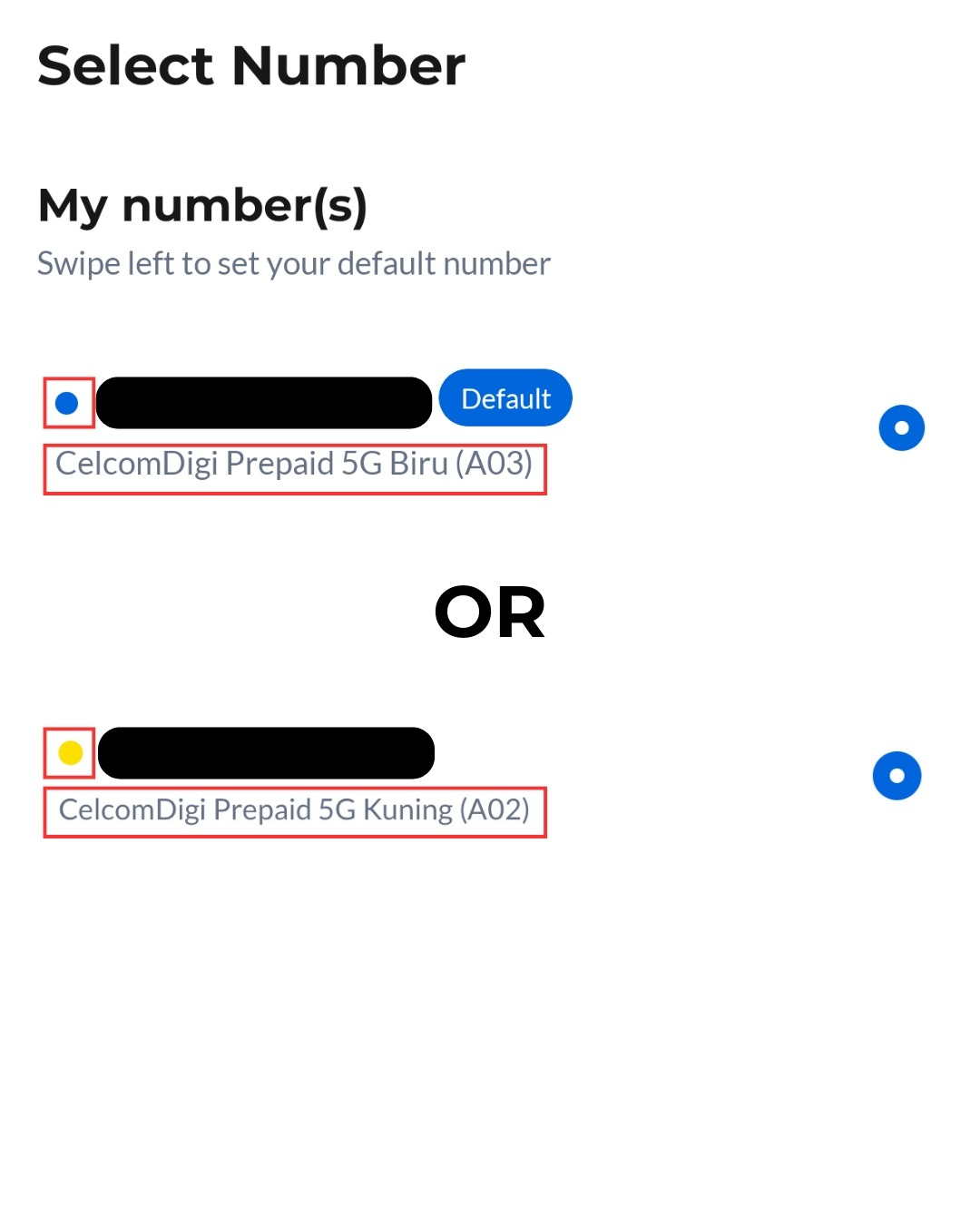
Step 2: Your plan name will appear here. If it shows 'Edisi Biru', you are on the Celcom system. If it shows 'Edisi Kuning', you are on the Digi system. A coloured dot next to your number will also indicate your account system: blue for Celcom and yellow for Digi.
Successful reloads will be updated in your prepaid account within 2 hours. If a reload attempt fails, the amount will be automatically credited back to your bank/ e-Wallet account. If this happens, please try reloading again.

