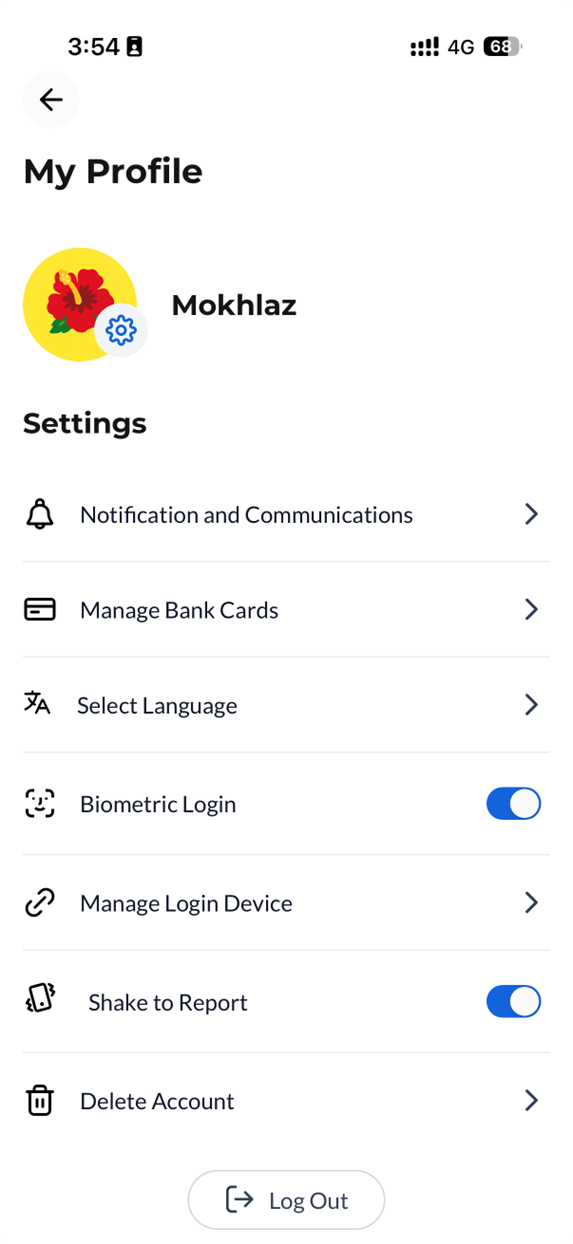
Easily manage your CelcomDigi app profile settings anytime, anywhere - with these simple steps!
Steps | Guide |
Step 1: On your CelcomDigi app homepage, click on the 'Settings' icon at the top right corner or click ‘View All’ under Your Essentials and select ‘Profile Settings’  | 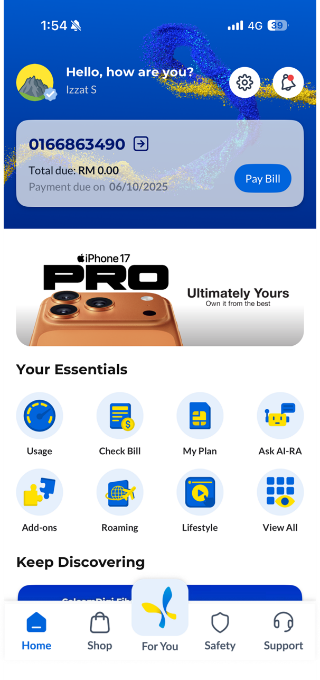 |
Step 2: Go to the ‘My Profile’ page, where you can update the following settings to personalize your account and enjoy a better experience:
|